Canvas
- Press cmd+s anywhere on the canvas or select
Save from File in the menu bar to save the workflow as an ows file.
- To restore the canvas from a saved
ows file, drag and drop the ows file onto the canvas.
Diagram Screen
- To capture the workflow pipeline, use the OS screenshot (
cmd + shift + 4) or select Save Workflow Image as SVG from File in the menu bar.
- The saved file is an image and cannot be used to recreate the workflow on the canvas.
Report
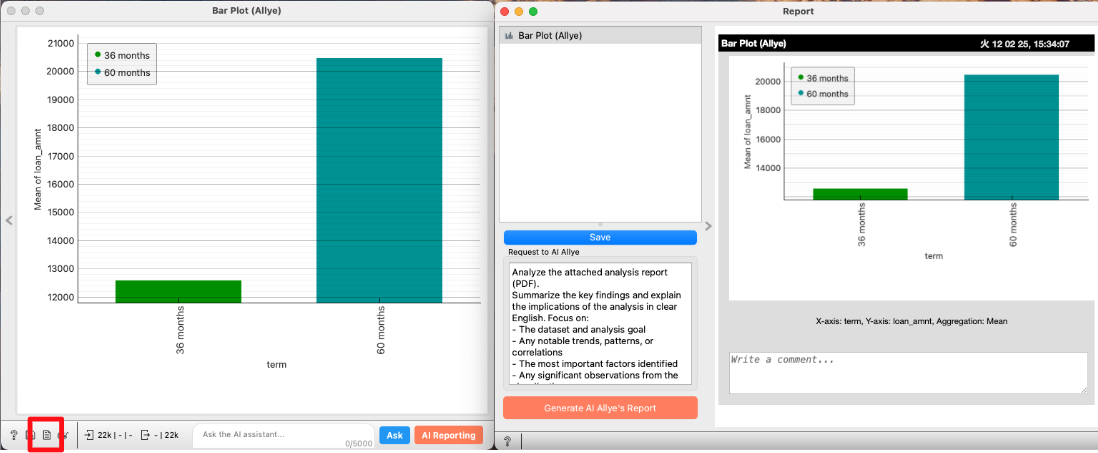
- Click the report icon at the bottom left of a widget to open the Report Widget.
- Use the
Save button to choose HTML, PDF, or Markdown and save the report.