Built-in Python
Allye ships with a built-in Jupyter notebook, so you can create a Python Notebook from the Transform section.
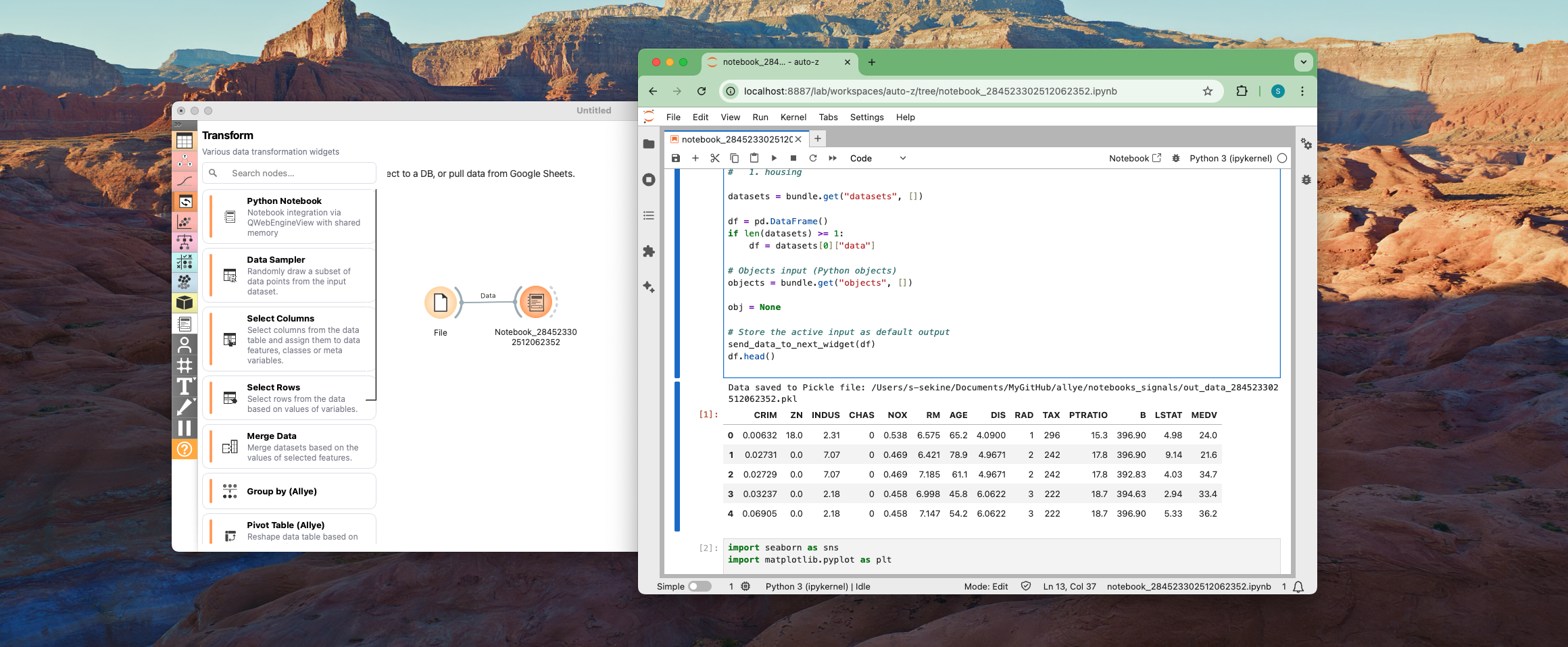
Canvas to Notebook
While analyzing data in Canvas, you may encounter data processing or visualization challenges that cannot be solved with build-in widgets. This is where the Python Notebook widget comes in handy! When you create a notebook widget, an ipynb file is automatically generated and the data is stored in a pandas DataFrame df, allowing you to perform any processing you need. Notebook Agent will help you by generating python code.
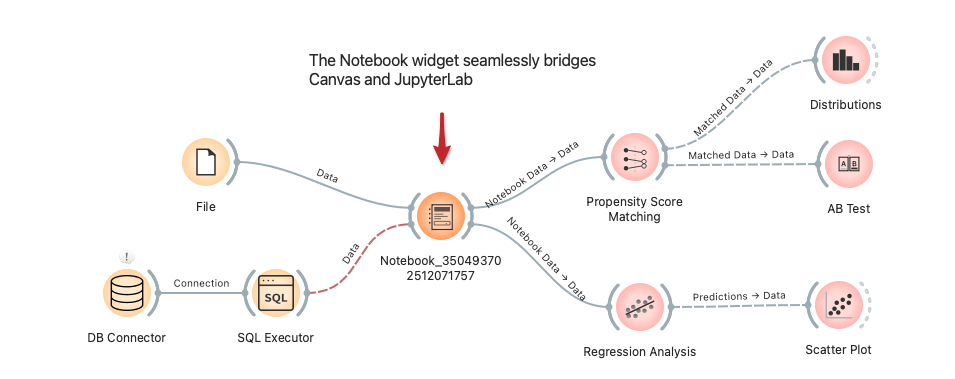
Notebook to Canvas
When you call the send_data_to_next_widget() function in the Python code within the Python Notebook widget, data is automatically sent to the next widget.
If you want to create interactive visualizations with your dataframe or build comprehensive reports using Allye's analysis widgets, output the data and back to Canvas.
Notebook Agent will help you by generating canvas workflow.
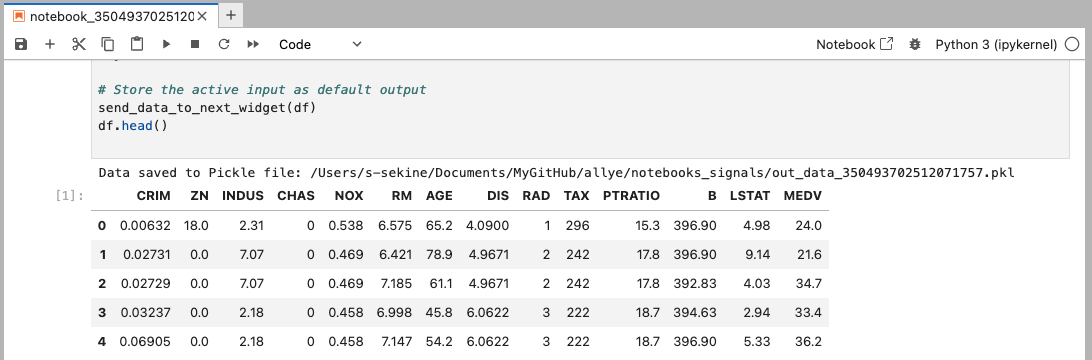
Data Input/Output details
Input: When a Python Notebook widget is created and connected to a Data Source, the code for sending and receiving data is generated automatically. The bundle.get("datasets", []) function fetches the data fed into the Python Notebook widget, and table data is automatically stored in the pandas DataFrame df.
Output: The send_data_to_next_widget(df) function automatically converts df to an Orange data table (the standard data format in Allye) and outputs it to the downstream widget.
Note:
# Code to read data and output data
import pandas as pd
from widget_data_handler import (
    read_multiple_from_shared_memory,
    store_output_df,
    store_output_payload,
)

def send_data_to_next_widget(df):
    return store_output_df(
        df,
        signal_file_path=r"/xxx/notebooks_signals/signal_306461252512041512_complete.txt",
        file_path=r"/xxx/notebooks_signals/out_data_306461252512041512.pkl"
    )

# Read data bundle with fallback to manifest on disk if needed
bundle = read_multiple_from_shared_memory(
    manifest_name="nb_306461252512041512",
    manifest_size=348,
    manifest_path=r"/xxx/notebooks_signals/in_data_306461252512041512/manifest.json"
)

datasets = bundle.get("datasets", [])

df = pd.DataFrame()
if len(datasets) >= 1:
    df = datasets[0]["data"]
# Store the active input as default output
send_data_to_next_widget(df)
df.head()